Add one or multiple PDF files in a single run.
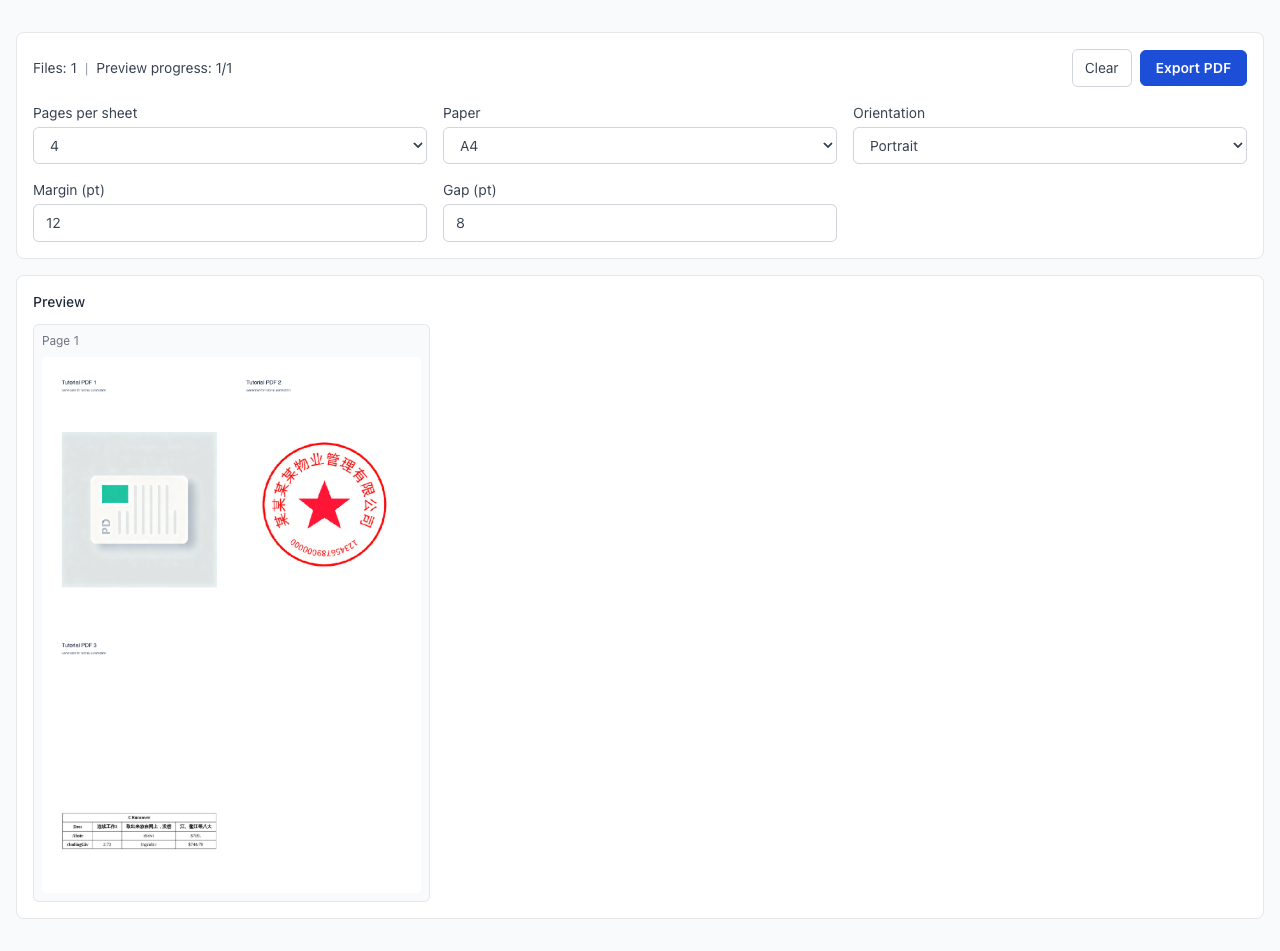
Fit handouts, review packs, and reference docs into fewer sheets
Best for classroom handouts, meeting packs, and draft reviews
Preview first, then export a print-ready PDF locally
Drag multiple PDFs here or click to select
Merge multiple PDF files instantly
Great for training handouts, meeting packs, and internal review copies.
Use 2/4 pages for reading and 6/8/9/16 for quick browse and archive.
Cut sheet count and print budget while keeping content readable.
Add one or multiple PDF files in a single run.
Set pages per sheet, paper size, orientation, margin, and gap.
Check readability before exporting to avoid reprints.
When should I use PDF N-up?
How do I choose 2/4/6/8/9/16 pages per sheet?
Text looks too small after export. What should I do?
What is the difference between N-up and Booklet?
Can I combine multiple PDFs?
Are files uploaded to a server?
Visual Tutorial
Follow the key states from import to export, then repeat the same flow on the page.
Every highlighted step stays in your browser. Files are processed locally and are not uploaded to a server.
Add one or multiple PDF files in a single run.
Set pages per sheet, paper size, orientation, margin, and gap.
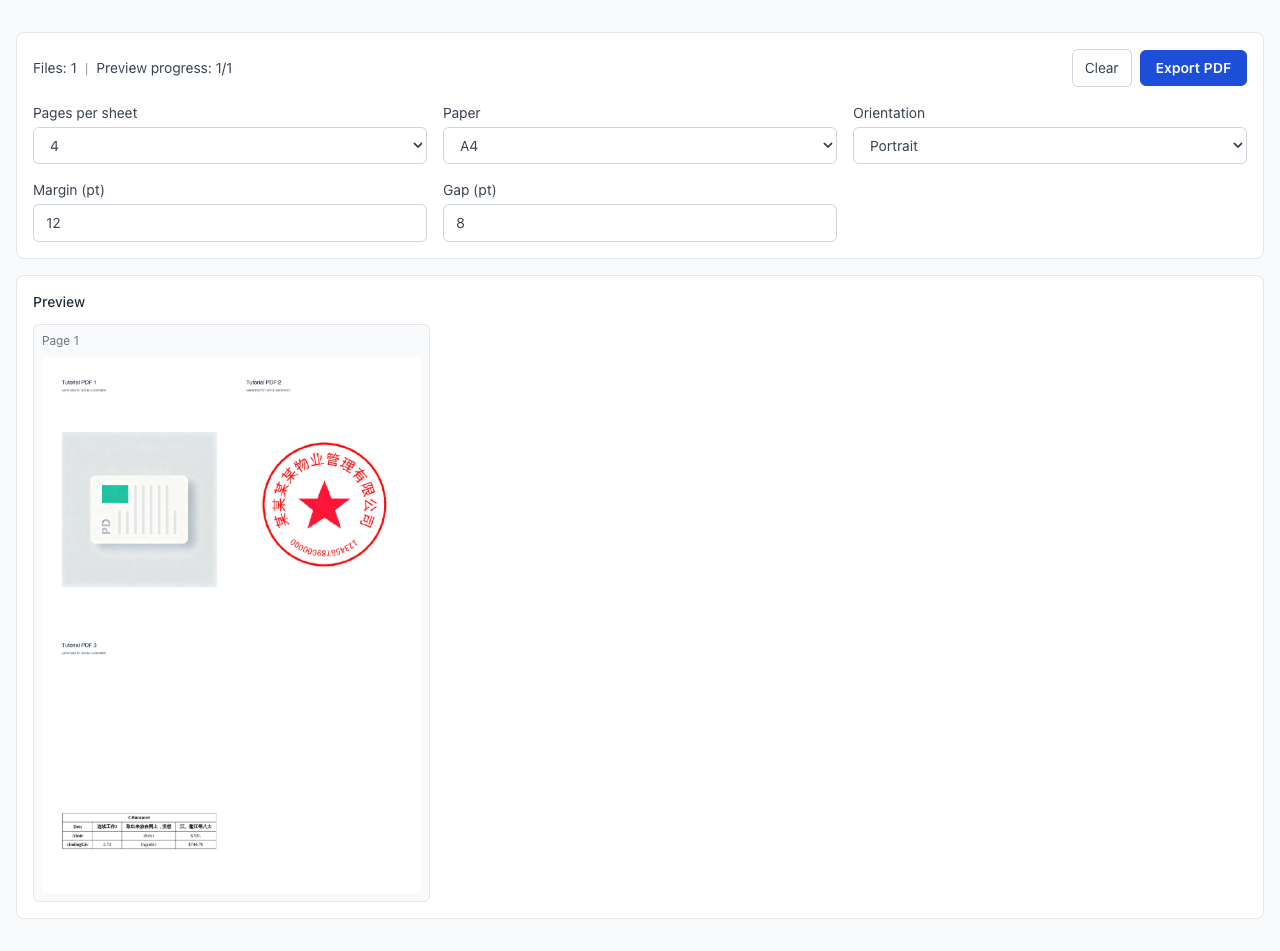
Run PDF N-up locally in your browser. Files are not uploaded to any server during this step.
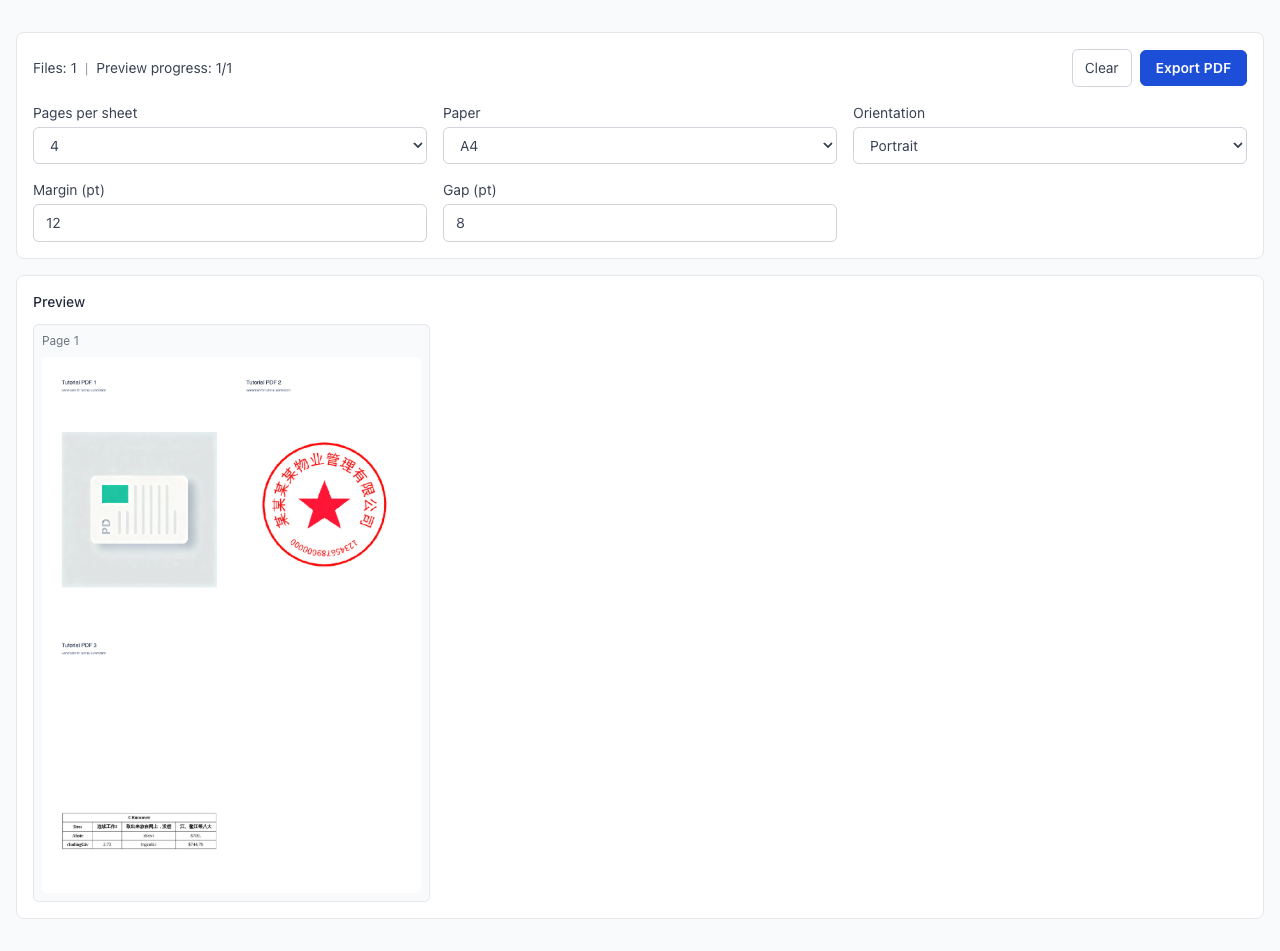
Check readability before exporting to avoid reprints.
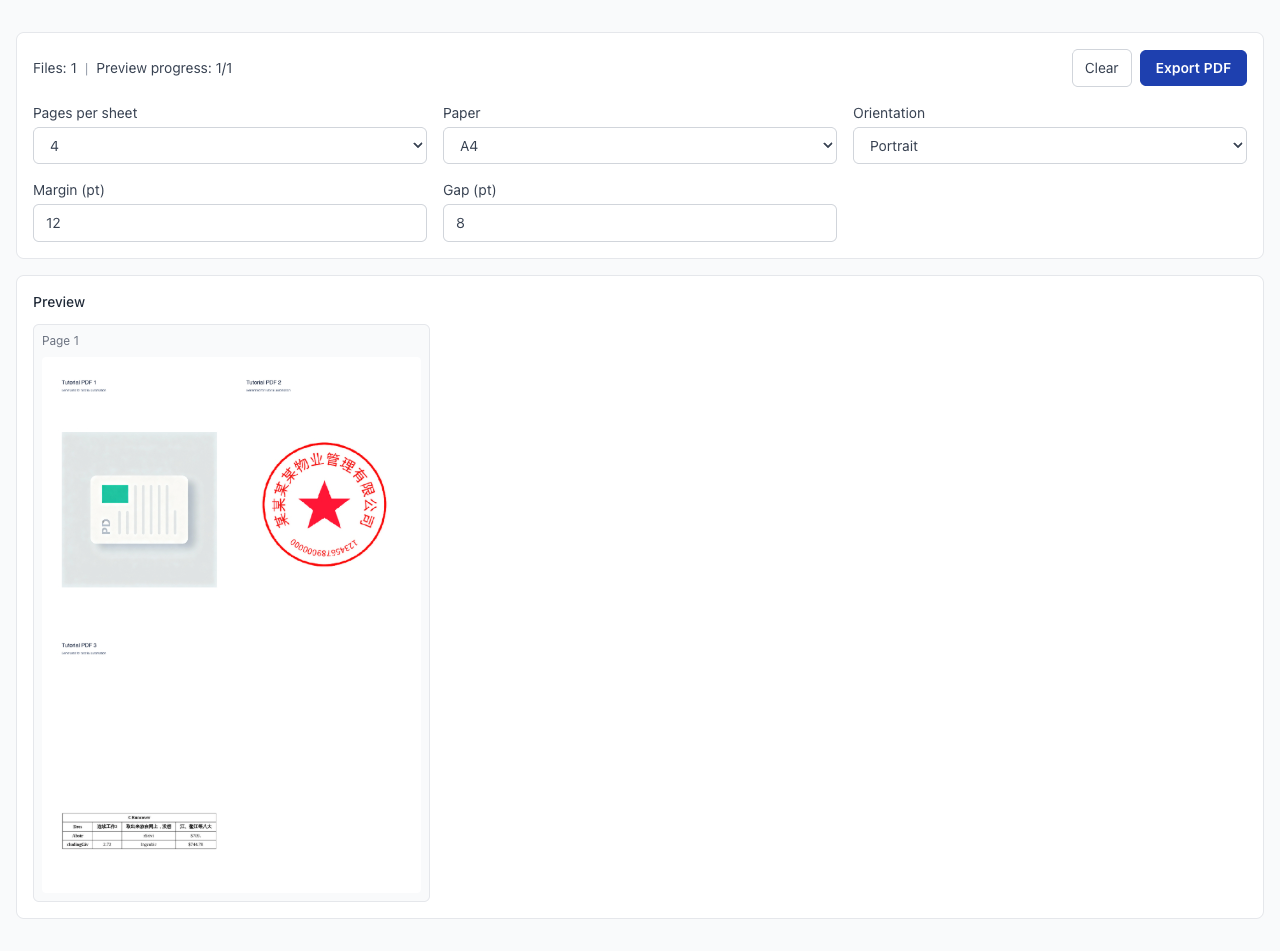
Another PDF workflow tool for continuous document processing.
Another PDF workflow tool for continuous document processing.
Another PDF workflow tool for continuous document processing.
Another PDF workflow tool for continuous document processing.