PDF to Images
Another PDF workflow tool for continuous document processing.
Lock fillable fields into read-only pages before handoff and archive filing
Upload one or more PDFs. Processing runs locally in your browser.
Drag multiple PDFs here or click to select
Merge multiple PDF files instantly
See how editable form fields become fixed, read-only page content.
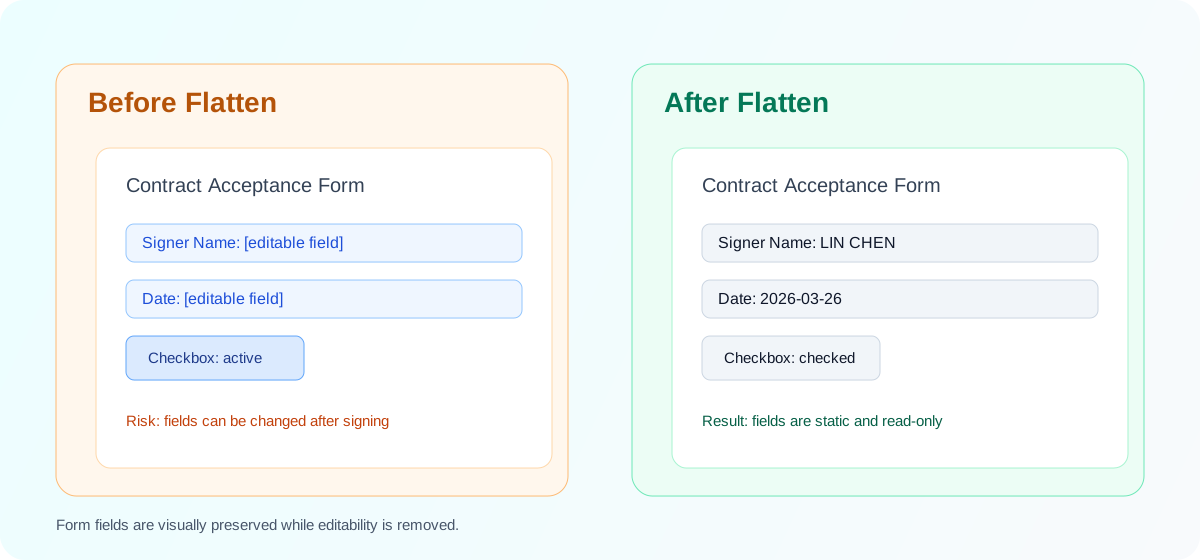
Recipients can still click fields and change values after signing.
Field values remain visible while editing controls are removed for safer delivery.
Process multiple PDFs in one run with per-file retry.
Check whether a file contains fillable fields before export.
No upload required. Files stay inside your browser.
Add one or many PDFs to the queue for this batch.
Confirm field count and warnings before processing.
Convert editable widgets into fixed page content.
Download a PDF or ZIP package based on file count.
Retry only failed files without restarting everything.
Will my files be uploaded to your servers?
Will flattening change document appearance?
Why do I see no form fields detected?
What if one file fails in a batch?
Can I add more files in the workbench?
Are output names suitable for archive workflows?
Another PDF workflow tool for continuous document processing.
Another PDF workflow tool for continuous document processing.
Another PDF workflow tool for continuous document processing.
Another PDF workflow tool for continuous document processing.