PDF to Images
Another PDF workflow tool for continuous document processing.
Create traceable Bates labels across files for legal review and audit trails
Upload one or more PDFs. Processing runs locally in your browser.
Drag multiple PDFs here or click to select
Merge multiple PDF files instantly
Verify sequence continuity, label format, and placement first.
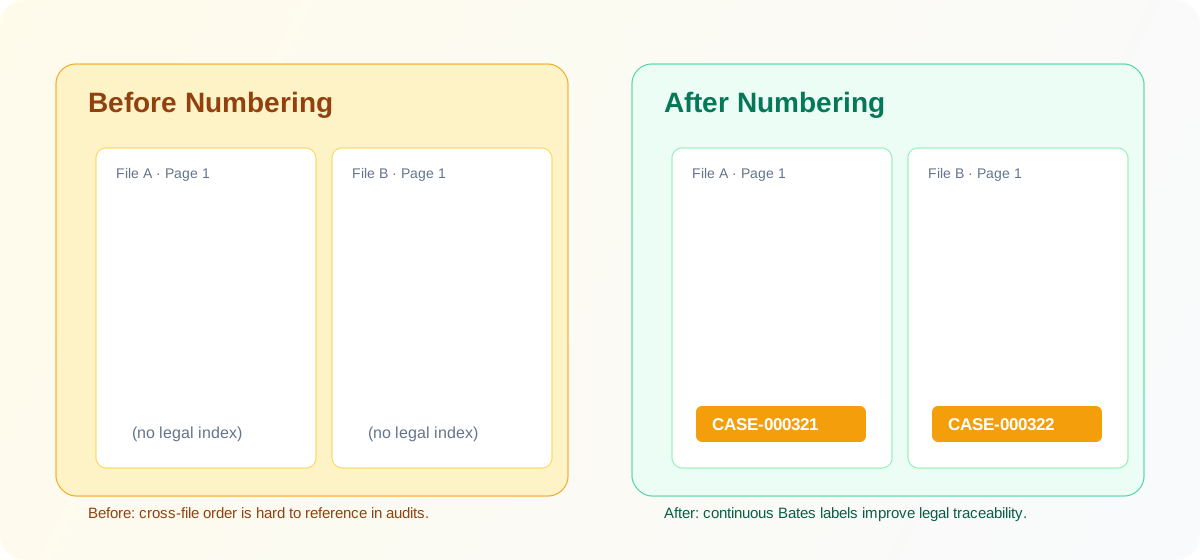
Cross-file references are harder when pages have no stable legal index.
Continuous Bates labels make legal review and audit trails easier to follow.
Carry numbering across multiple documents without gaps.
Customize prefix, suffix, width, and start number.
Support all, odd or even, range, and custom expressions.
Add one or more PDFs to the queue for this run.
Configure prefix, start number, width, and strategy.
Decide which pages receive labels: all, odd or even, range, or custom.
Check generated labels and positions before final export.
Download successful output first, then retry failed files only.
Can numbering continue across files?
Can I restart numbering for each file?
Can I preview before export?
What if my range expression is invalid?
What if only some files fail in a batch?
Do files leave my browser during processing?
Another PDF workflow tool for continuous document processing.
Another PDF workflow tool for continuous document processing.
Another PDF workflow tool for continuous document processing.
Another PDF workflow tool for continuous document processing.