If photos leave your team boundary, add EXIF clean as a default privacy step.
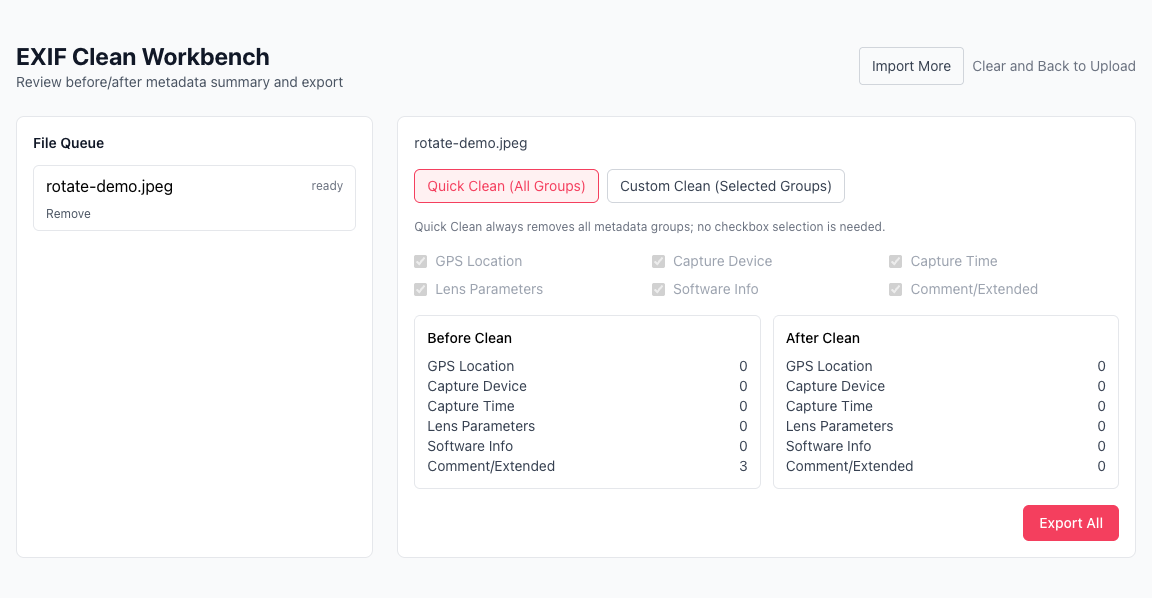
Remove capture and location metadata locally, no upload
Batch clean JPG/JPEG/PNG/WebP images
Use quick mode or custom metadata groups
Click or drag images here to upload
Supports JPG/JPEG/PNG/WebP. Processing stays local in your browser.
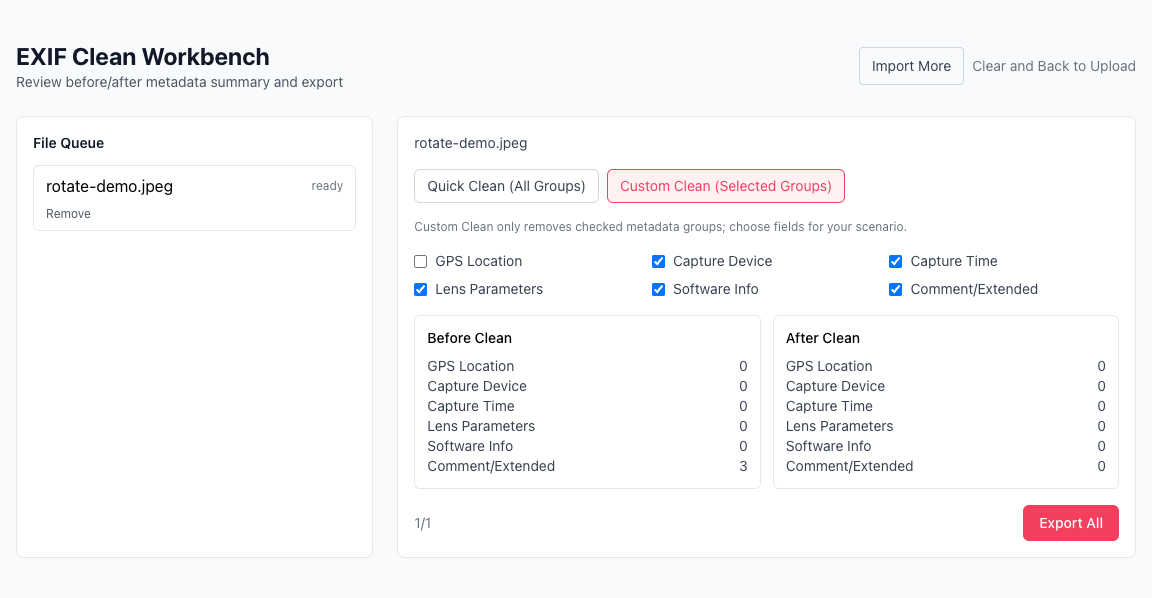
Compare before/after metadata state and confirm privacy cleanup before export.
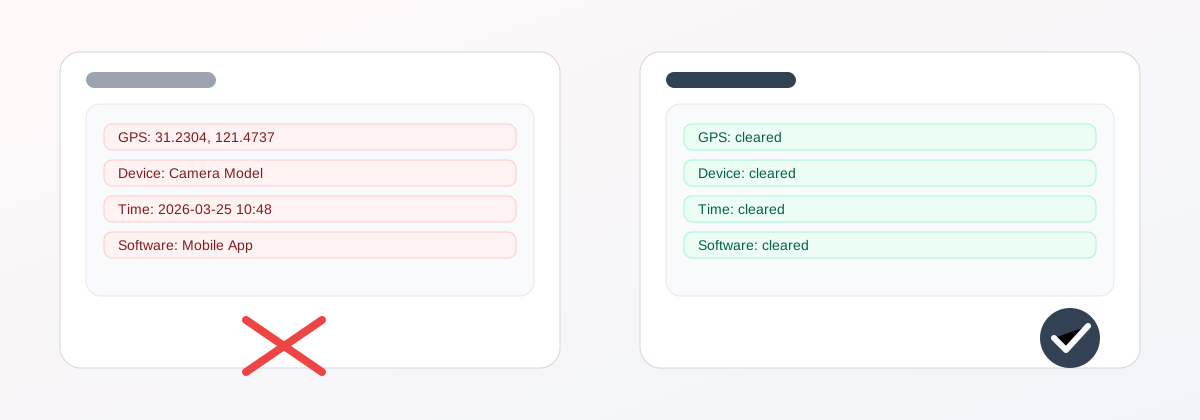
Metadata may include GPS coordinates, device model, and capture time.
Sensitive EXIF/XMP fields are removed by policy and can be verified in comparison.
Remove GPS, device, and time metadata before social posting or client delivery.
Use Quick Clean for full cleanup, or Custom Clean for selective metadata groups.
Failed files are marked individually, while successful files remain exportable.
Reading, cleaning, and export all run in your browser with no upload.
If photos leave your team boundary, add EXIF clean as a default privacy step.
You can add files in batches and append late-arriving files without restarting.
Use Quick for full-field cleanup, or Custom for selective removal such as GPS only.
Verify metadata changes first, then export. Retry failed items without re-running the whole batch.
Why should I clean EXIF before sharing photos?
When should I use Quick Clean vs Custom Clean?
Can Custom Clean remove only GPS and keep other metadata?
Which image formats are supported? What about HEIC/HEIF/AVIF?
Will my files be uploaded? Can it work offline?
Why is there an Import More button in the workbench?
If some files fail in a batch, will others be blocked?
When do I get a single file download vs a ZIP?
Visual Tutorial
Follow the key states from import to export, then repeat the same flow on the page.
Every highlighted step stays in your browser. Files are processed locally and are not uploaded to a server.
If photos leave your team boundary, add EXIF clean as a default privacy step.
You can add files in batches and append late-arriving files without restarting.
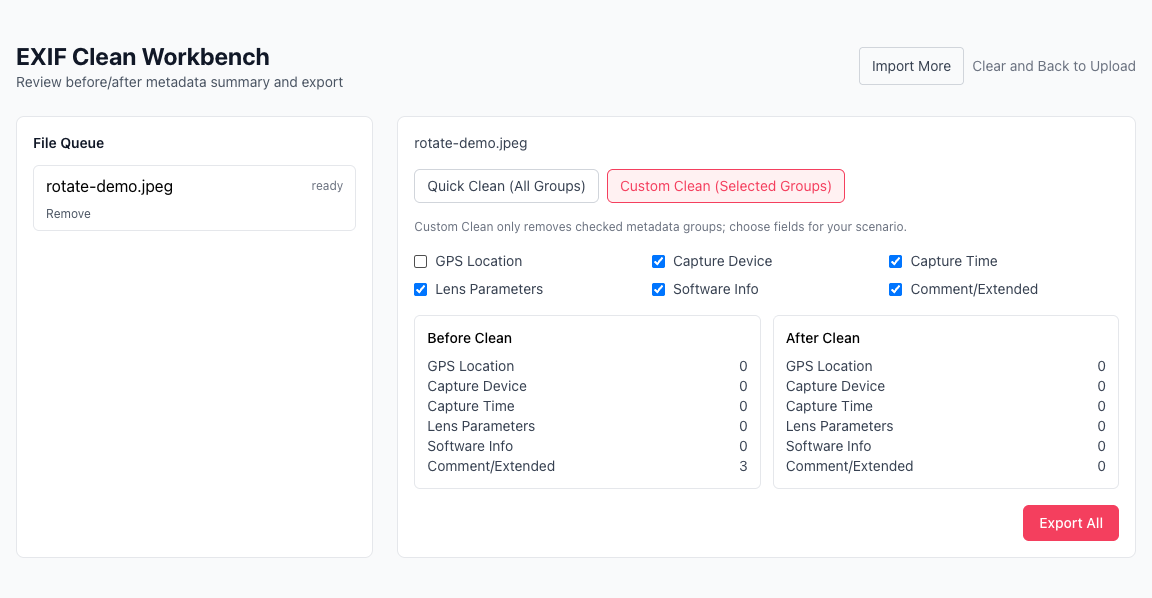
Run Image EXIF Clean locally in your browser. Files are not uploaded to any server during this step.
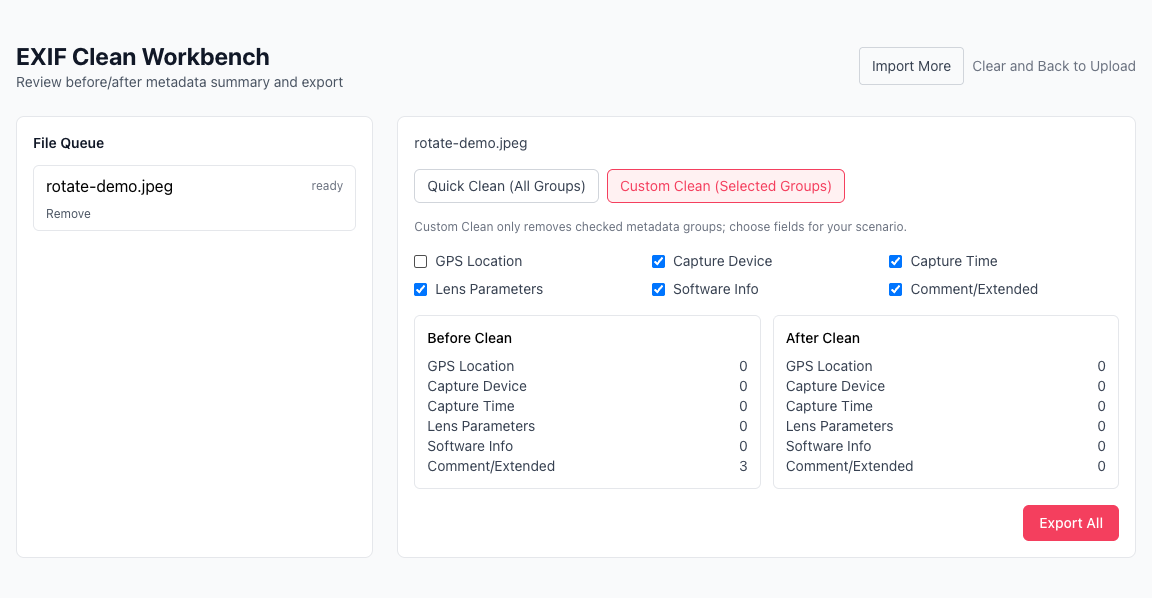
Verify metadata changes first, then export. Retry failed items without re-running the whole batch.
Another image utility for conversion and export.
Another image utility for conversion and export.
Another image utility for conversion and export.
Another image utility for conversion and export.